 CTY-1
CTY-1Manual
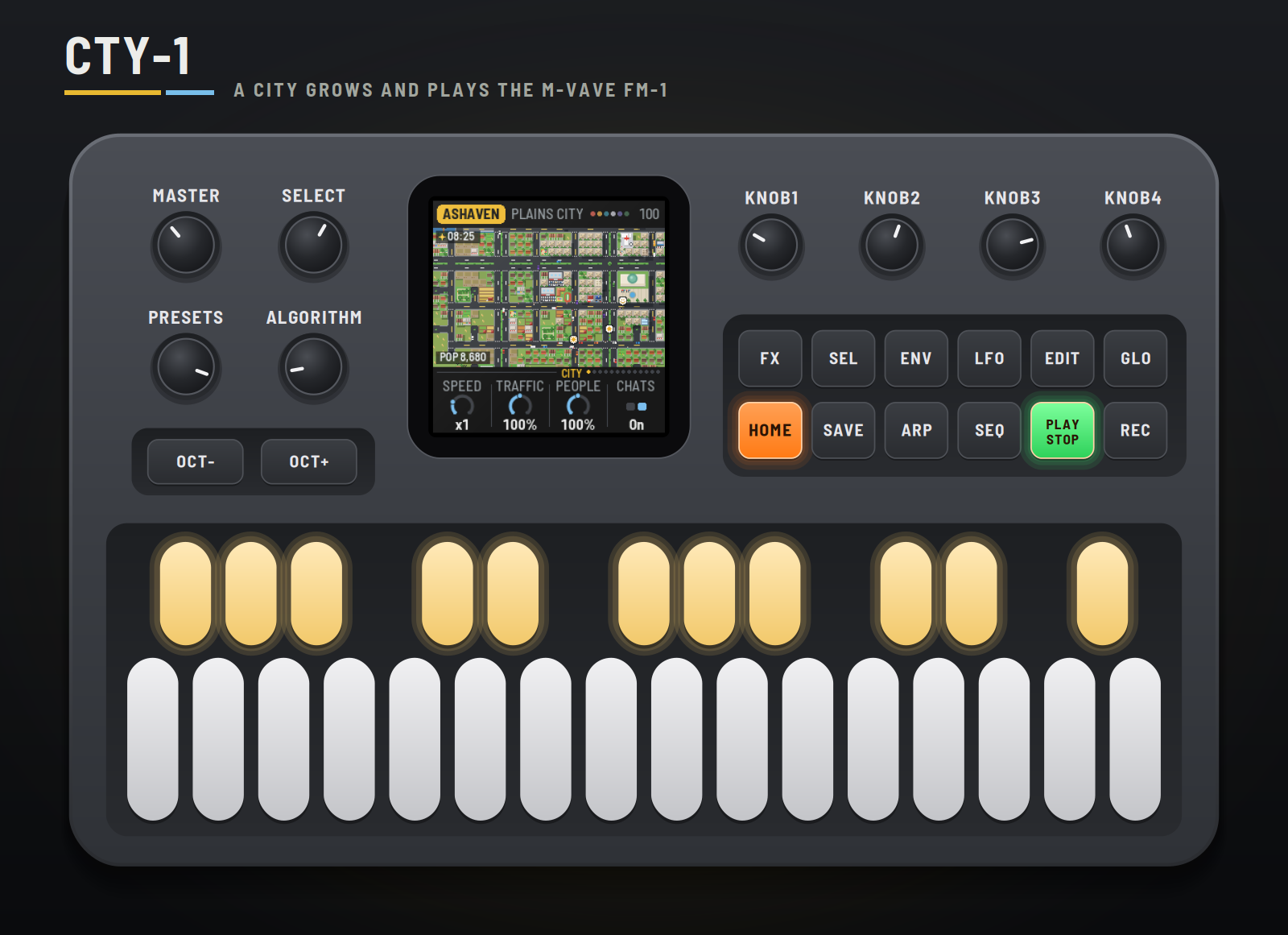
CTY-1 turns the M-VAVE FM-1 into a small city that builds itself and plays a generative chiptune. Each time you switch it on it founds a new town on new land: a forest, a desert, an alpine valley, volcano isles, plains, a beach or river lands, each with its own look, weather, disaster and sound. Week by week it grows: homes, shops, offices and factories, farms at the edge, parks and landmarks, avenues, roundabouts, bridges and a beltway, until it's a huge city of towers. Its cars drive real routes, its people walk and stop to talk, the days, seasons and weather go round, and now and then something happens: a fire, an earthquake, a robbery, a crash, a festival, a blackout, a meteor shower, the land's own disaster, a UFO. Every one of those is music, played on NES, Game Boy or SID voices.
This manual covers CTY-1 version 0.0.87.
Experimental. CTY-1 is new: it has been built and tested in the simulator and the browser emulator, not yet on a real FM-1. Install it at your own risk; HYP-1, or M-VAVE's own firmware, goes back on the same way.
1Install
Try it first: the emulator runs the same code in the browser, with sound, played with the mouse, a touch screen or the keyboard.
Install: open the installer in Chrome or Edge, connect the FM-1 with a USB data cable and press Install. Don't unplug it while it's writing; when it finishes, the FM-1 restarts into CTY-1.
From the command line instead (needs pip3 install mido python-rtmidi): python3 tools/fm1_install.py cty1-VERSION.fwsc, with the file from the site's download.
Go back: "Back to the stock firmware", at the bottom of the installer, puts M-VAVE's firmware back. M-VAVE's own updater, M-UPGRADE, works too.
Installing other firmware is at your own risk. If the FM-1 won't start, hold OCT− and OCT+ together for five seconds for the update mode, then install again.
2Getting started
CTY-1 starts by itself: the RedtailWorks card, then CTY-1 over a skyline lighting up, then the city. A few minutes with it:
- Listen. A new city has just been founded, its name and its land in the header: a crossroads, a few houses. Turn MASTER for volume. Each car is a playhead; each building it passes rings.
- Speed it up. KNOB 1 on the City page is the speed: turn it to ×8 and watch the town spread. A message in the header names each first: the first shop, the town square, the fire station, a bridge.
- Play along. The keys play a lead in the city's scale (the lit keys). OCT− / OCT+ move it.
- Make something happen. Press FX for Events. Black key 1 calls lightning, 2 an earthquake, 3 a robbery, 4 a crash, 5 a UFO, 6 birds, 7 the land's own disaster, 8 a festival, 9 a blackout, 10 meteors (and 11, once the city is huge, its special's show). The camera goes there and stays until it's over.
- Change the sky. Press LFO: black keys 1–4 jump to dawn, noon, dusk and night. Press it again for Weather: black keys 1–7 set it, from Auto to snow.
- Try another land. Press EDIT (or turn PRESETS): a new city, on new land in a biome of its own, with its music, from a town. Switching off and on does the same.
- Leave it. After a minute untouched the city takes the whole screen and rides along with its cars.
3Controls
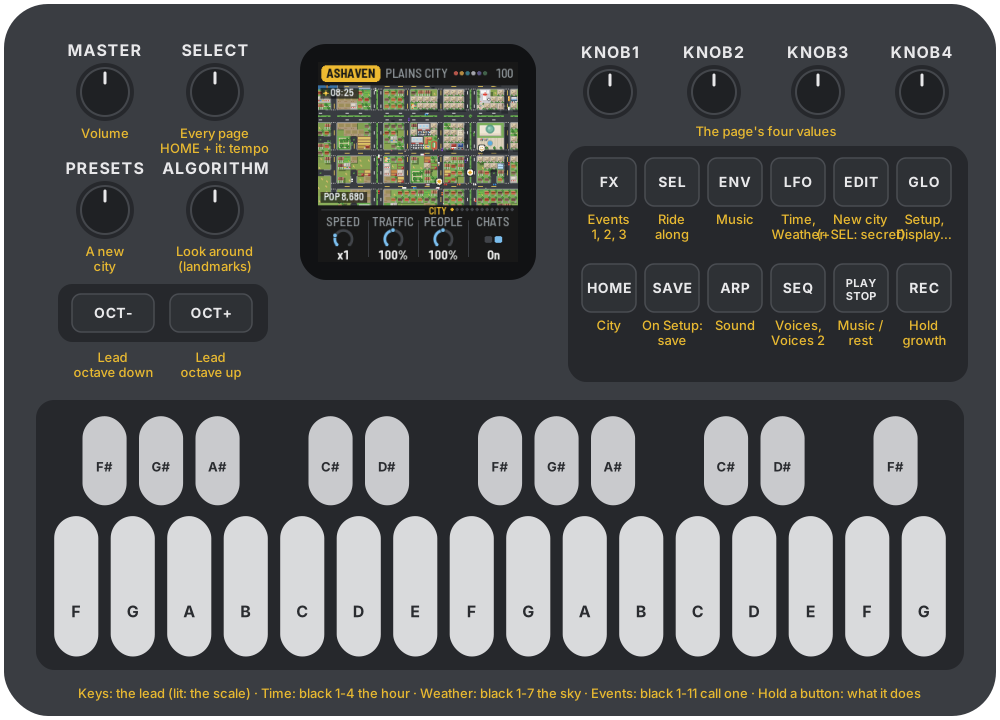
| Control | What it does |
|---|---|
| Keys | The lead, kept to the city's scale (lit). On Time, black keys 1–4: dawn, noon, dusk, night. On Weather, black keys 1–7: Auto, then the land's six weathers. On the Events pages, black keys 1–11: lightning, an earthquake, a robbery, a crash, a UFO, birds, the land's disaster, a festival, a blackout, meteors, the special's show. |
| PLAY | The music plays / rests. The city lives on either way. |
| REC | Hold: the city stops growing (HOLD in the header); life and the music go on. Again to let it grow. |
| EDIT | A new city: new land, a biome drawn by luck, a town again, with the biome's music. No need to switch off and on. |
| HOME ENV ARP LFO SEQ FX GLO | The pages: City, Music, Sound, Time (again: Weather), Voices (again: Voices 2), Events (again: Events 2, Events 3), Setup (again: Display, then MIDI out). |
| SEL | Ride along: the camera follows a car on screen (again: another). Held, with GLO: remote (the panel plays the browser emulator). Held, with EDIT: the secret (section 5, First responder). |
| SELECT | Every page in turn. With HOME held: the tempo. |
| ALGORITHM | Look around: the camera to each landmark in turn, the town hall first (then the services, the school, the stadium, the specials…), staying a few seconds. |
| PRESETS | A new city too, like EDIT. |
| KNOB 1–4 | The page's four values. |
| OCT− / OCT+ | The lead an octave down / up (two each way). |
| SAVE | On the Setup pages (Setup, Display, MIDI out): saves your settings for every power-on. Elsewhere: the city again from its founding. Hold 1.5 s: the biome's music back (tempo, flavor, lead, swing, echo, density, bed). |
| MASTER | Volume. |
Hold any button for a second and a card says what it does. MIDI notes in play the lead too.
4The screen
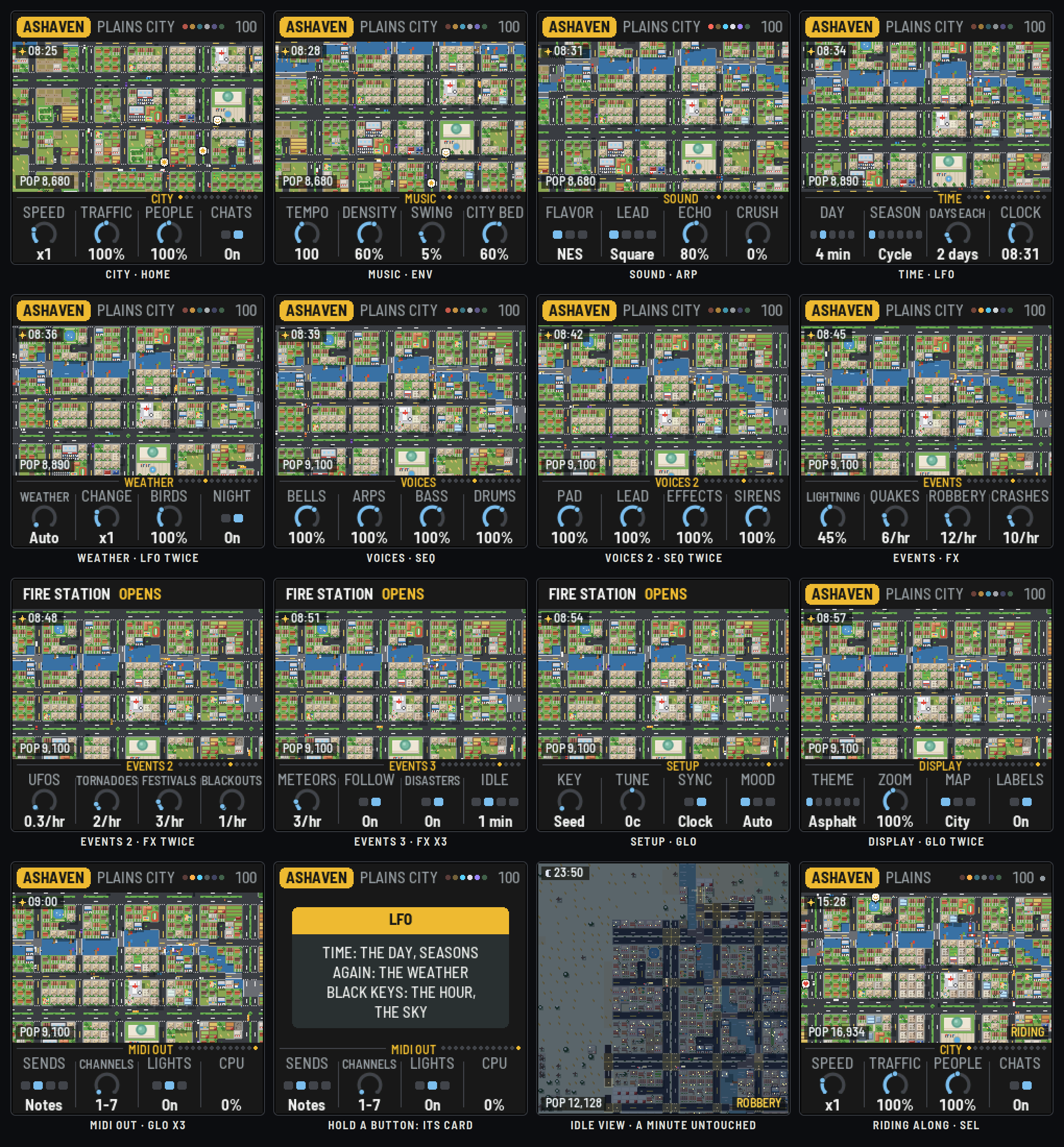
- The header: the city's name in a tag, its land and what it is now (DESERT CITY), then on the right the six chip channels as dots (lit as they play; resting, a play triangle), HOLD while growth is held, the tempo (EXT and the clock's tempo on MIDI clock) and a dot while something is unsaved. Messages take its place for a moment: what opens, what happens.
- The city, from above. Roads, avenues with planted medians, roundabouts, cul-de-sacs, bridges and the beltway; houses with yards, townhouses, apartments and towers; corner stores, shopping centres, offices and glass skyscrapers; workshops, warehouses, factories with smoking stacks, power plants; farms; and the landmarks, each easy to tell: the town hall's dome, the school's running track, the hospital's red cross, the fire and police stations, the railway station, the stadium, parks, ponds, a marina, a golf course. Cars, buses and trucks on the roads, people on the pavements, birds overhead, clouds' shadows drifting. Day turns to night (windows, streetlights, headlights), the seasons colour the trees and fields, and snow settles on the roofs.
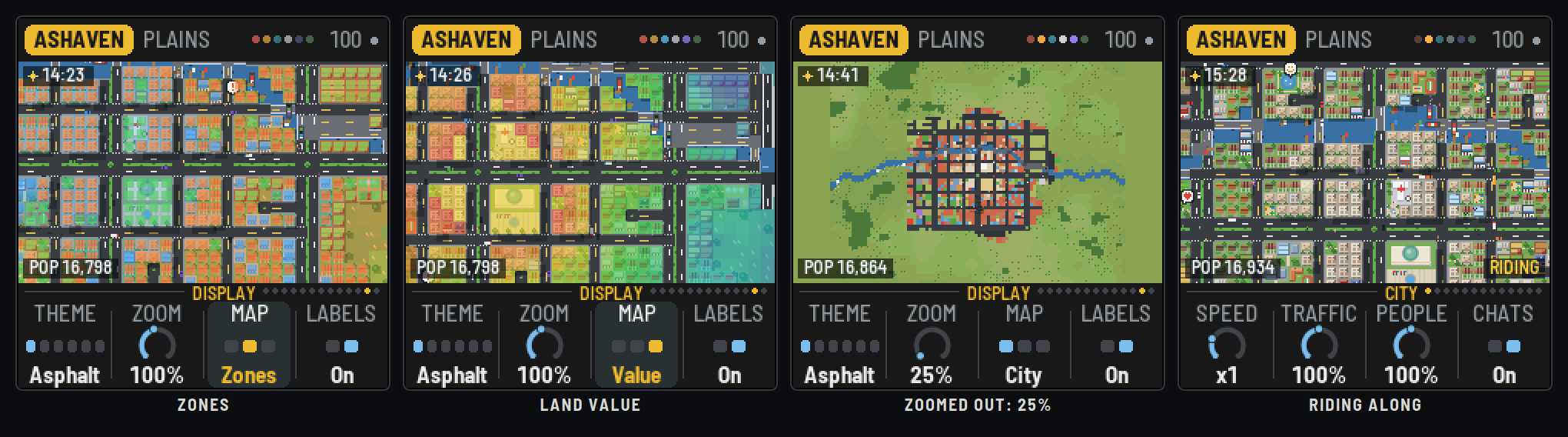
- The labels (Display: Labels): the hour and the sky top left, the population bottom left, and bottom right what the camera follows: RIDING, FIRE, QUAKE, ROBBERY, CRASH, UFO, BLACKOUT, the special's show, HOLD.
- The knob strip: the page's name and the walk's dots, then the four knobs. The one being turned lights up.
The camera. Zoom (Display, knob 2) is a dial from 25% (the whole map) to 300% (close over the roofs), in fourteen steps; 100% to start. The camera stays at that zoom: while the city fits on screen it centres it, then it tours the newest and tallest buildings, a new one every few seconds. An incident takes it (Follow); SEL rides with a car; ALGORITHM looks at the landmarks.
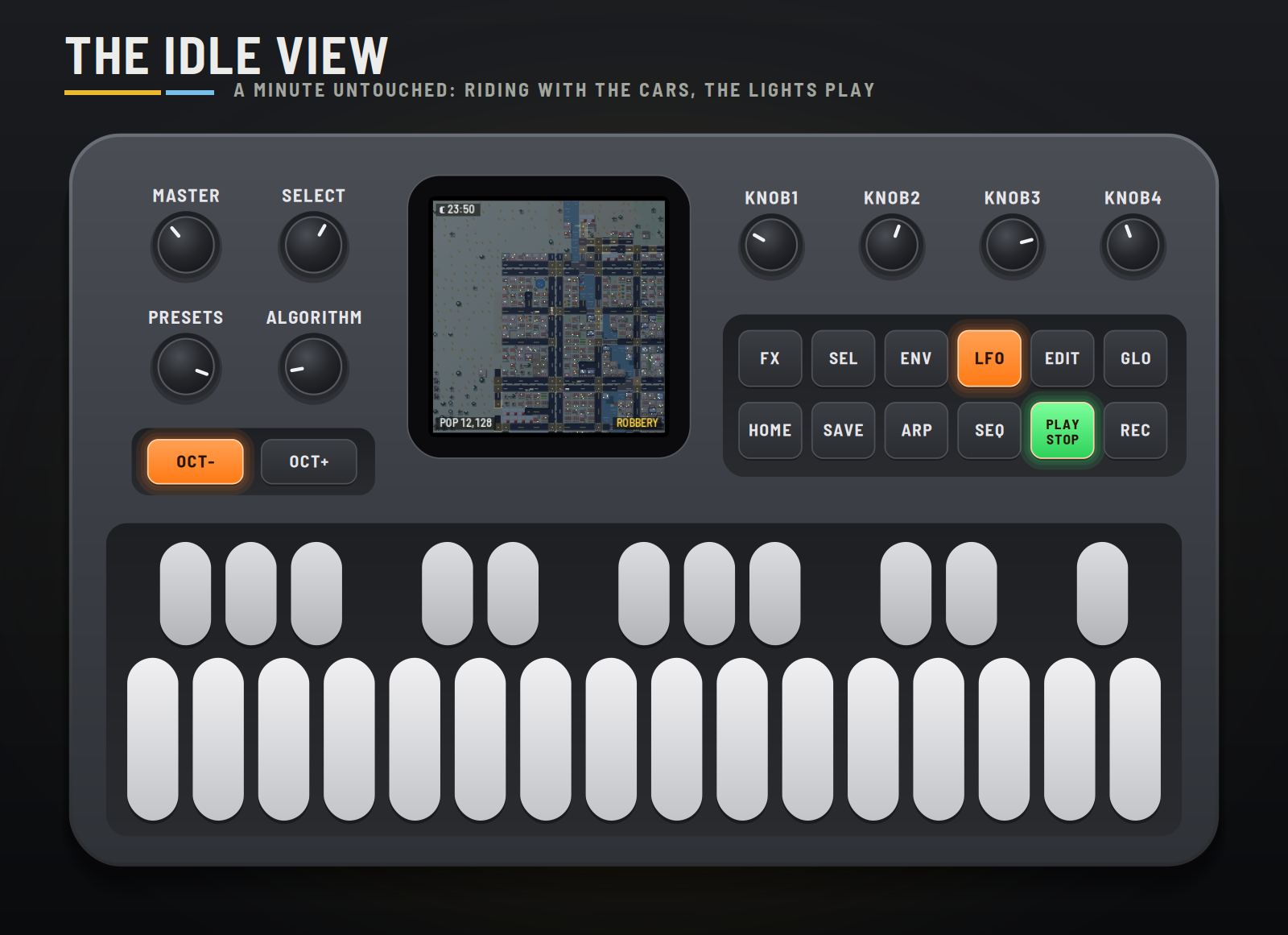
The idle view. Untouched for a minute (Idle), the city takes the whole screen. The camera rides with one car after another, its route singing the lead, cutting to the incidents as they happen, and the lights play along: each chip channel a page button and the key of its note, OCT− and OCT+ the beats, GLO the lightning, SAVE an incident. Any touch brings the pages back.
5How the city grows
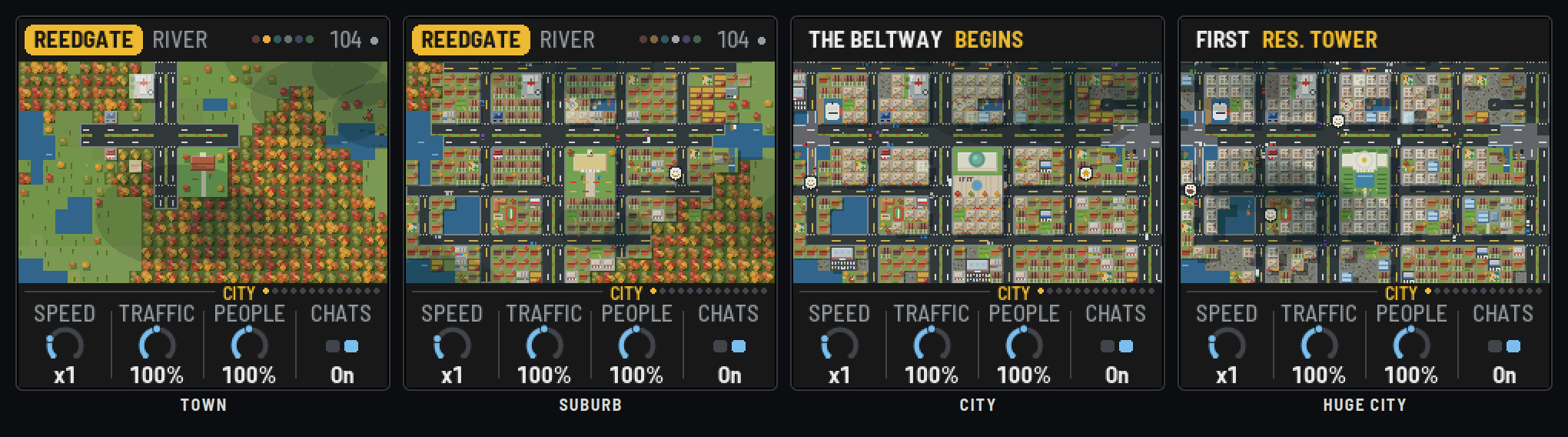
- Founding. A seed makes the land: hills, woods, a coast on one side or a river across, sometimes both, and a name. The town starts at a crossroads near the middle.
- Roads. The plan is laid out ahead: blocks small at the centre and larger outward, two-lane avenues with planted medians every few blocks, roundabouts where they cross, cul-de-sacs at the edges. Roads reach out as the town needs land, bridging the river (and, as a city, a causeway over the bay). At the City stage a beltway opens round it.
- Building. Each week lots are built where they're worth most: land value rises near the centre, the avenues, water and parks, and falls near factories. Homes, shops and offices, and industry try to keep to their own districts (the industrial side away from the water), with some mixing. Rent and jobs set the balance: too few jobs and shops and factories come; too few homes and houses do. Farms spread at the edge and give way as the city reaches them. Small buildings grow into bigger ones, neighbours merge into shopping centres, office campuses and skyscrapers, and old lots are cleared and redeveloped.
- From the founding. Every town starts with a town hall on a 4 × 4 block by the crossroads, and in its first weeks a small fire station, a police station and a hospital. The town hall grows with the town: a brick hall with a flag, then a portico and a clock tower, then a copper dome over a plaza and its fountain, and at last a capitol with a gold-topped dome, two wings and a reflecting pool.
- Landmarks. As the population passes each mark, gas stations, schools, more fire and police stations and hospitals, the railway station and the stadium open, plus green spaces: parks, pocket parks, playgrounds, gardens, plazas, ponds, playing fields, a cemetery, a marina on the coast, a golf course.
- Stages. Town, Suburb, City, Huge city: each changes the music (below) and the headline, and unlocks one of the land's three specials (below).
The specials
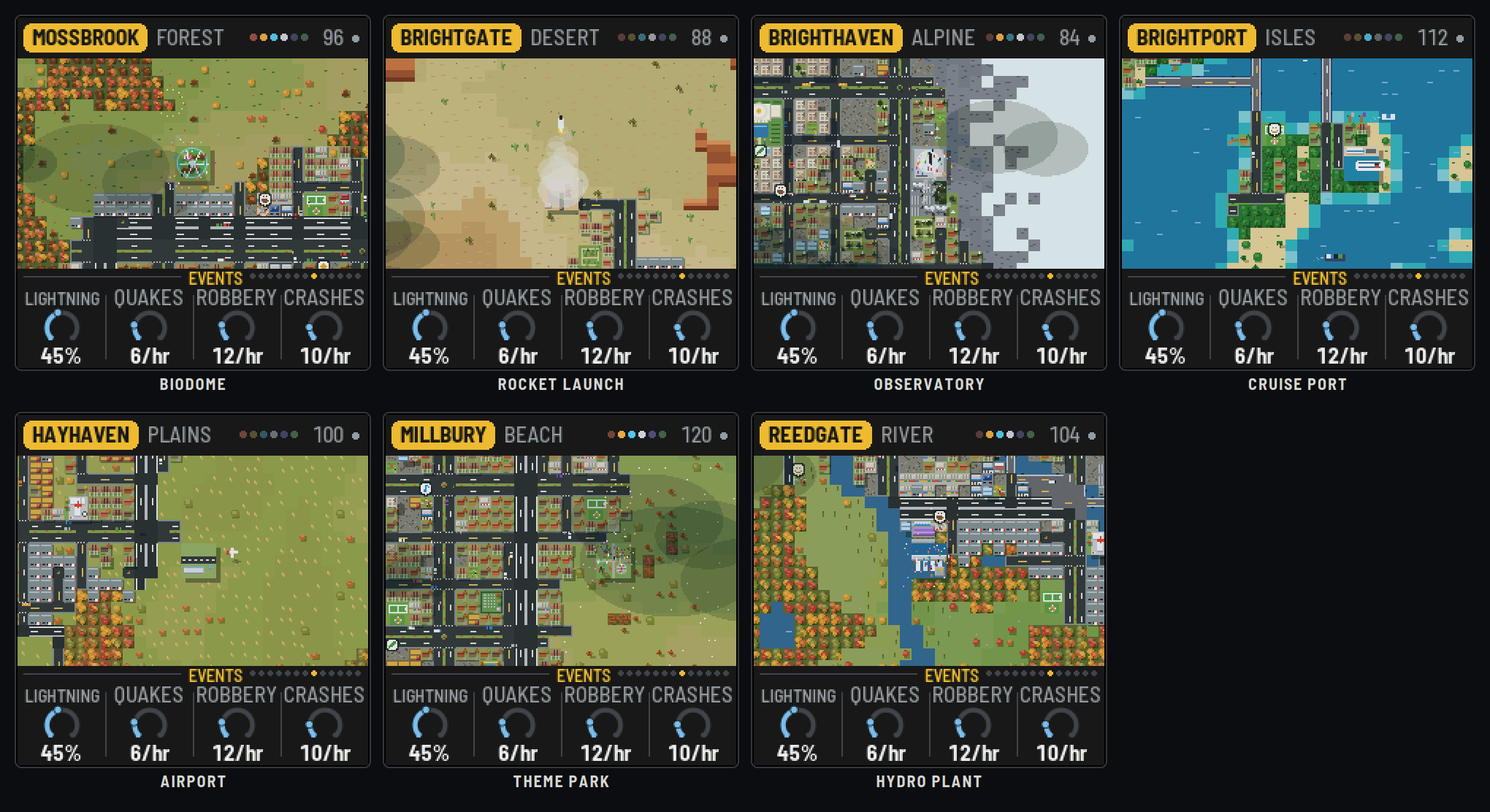
Each land unlocks three of its own, as the town becomes a suburb, a city and a huge city:
| Biome | Suburb | City | Huge city |
|---|---|---|---|
| Forest | Lumber mill | Ranger tower | Biodome |
| Desert | Solar farm | Oasis resort | Rocket launch site |
| Alpine | Ski lodge | Cable car | Observatory |
| Volcano isles | Fishing harbor | Beach resort | Cruise port |
| Plains | Grain silos | County fair | Airport |
| Beach | Lighthouse | Boardwalk pier | Theme park |
| River lands | Watermill | Riverboat dock | Hydro plant |
Each keeps its own clock and has its moment, with its own sound: the first two every minute or two, the last every four minutes.
| Special | Its moment |
|---|---|
| Lumber mill | The saw screams through a log, sawdust flies, a log rolls off ("timber!") |
| Ranger tower | The lamp up top flashes, the bell rings three times, the birds lift off the trees |
| Biodome | Flowers open through the dome to a slow chime |
| Solar farm | A glint sweeps the panels as they turn to the sun, a hum rising |
| Oasis resort | A splash in the pool, the rings spreading |
| Ski lodge | A skier comes down the slope to a yodel |
| Cable car | A second gondola runs down, its bell ringing, the cable creaking |
| Observatory | The dome turns, the shutter opens, a beam to the stars |
| Fishing harbor | A boat heads out, gulls wheel and cry, the buoy bell tolls |
| Beach resort | Steel drums, notes rising |
| Grain silos | The auger pours grain into a truck |
| County fair | The calliope plays, balloons let go |
| Lighthouse | The lamp blazes and swings round, the foghorn sounds twice |
| Boardwalk pier | The ice-cream cart rolls along to its jingle |
| Theme park | The coaster train clanks up, drops, and they scream |
| Watermill | The millstones thump round, spray off the wheel |
| Riverboat dock | The steam whistle, puff on puff |
| Hydro plant | The floodgates open, the spillway bursts white and rumbles |
The last one's moment is a show (black key 11 of the Events pages calls it too): the rocket counts down and lifts off on a column of smoke, a plane takes off down the runway, the cruise ship sounds its horn and sails; the biodome, the observatory, the theme park and the hydro plant light up with a festival and fireworks. The camera goes to watch. The town hall keeps time too: its flags fly, its clock tower (once it has one) shows the city's hour, and from then on its bells ring each hour, one to three times.
The land
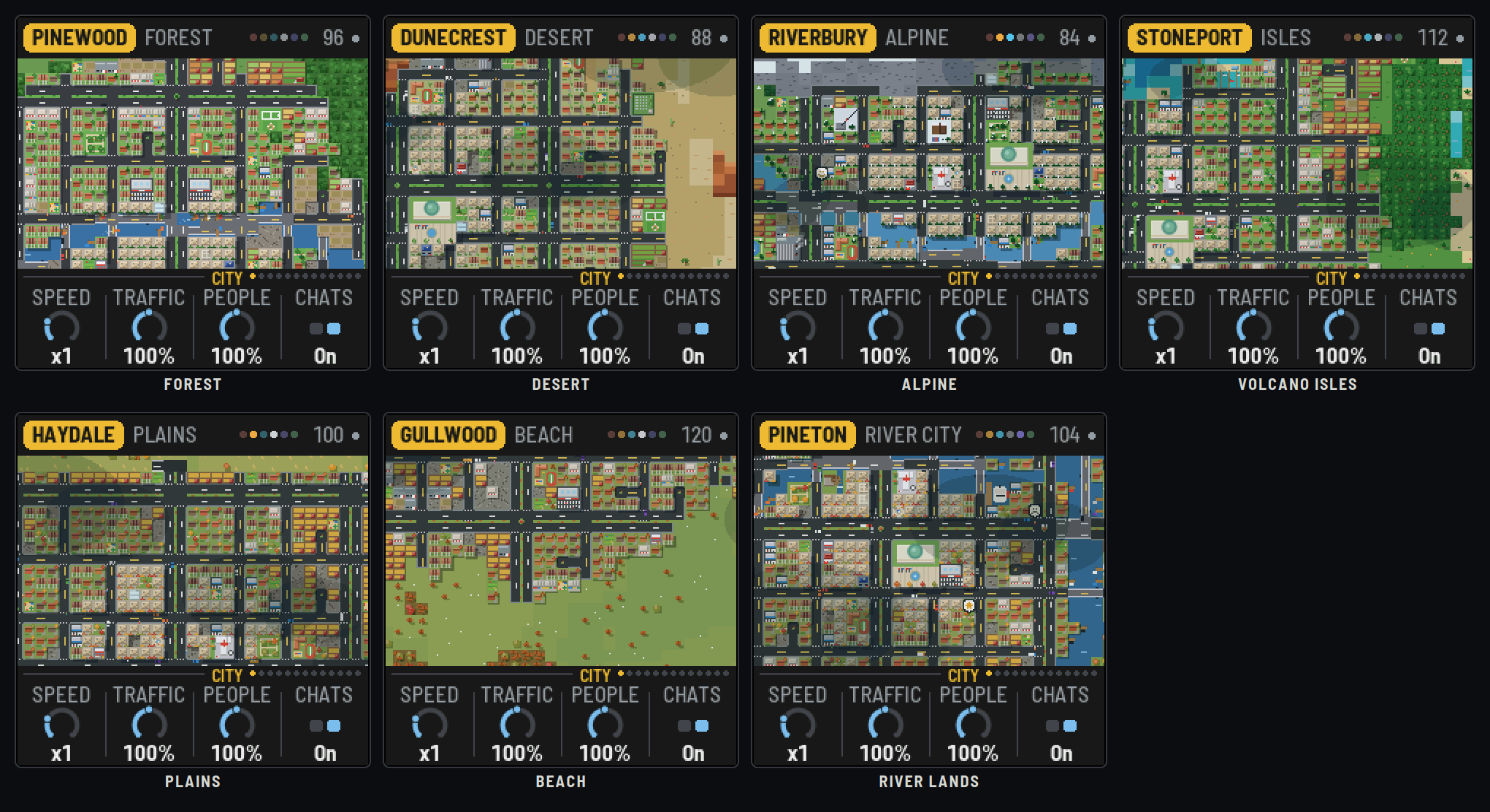
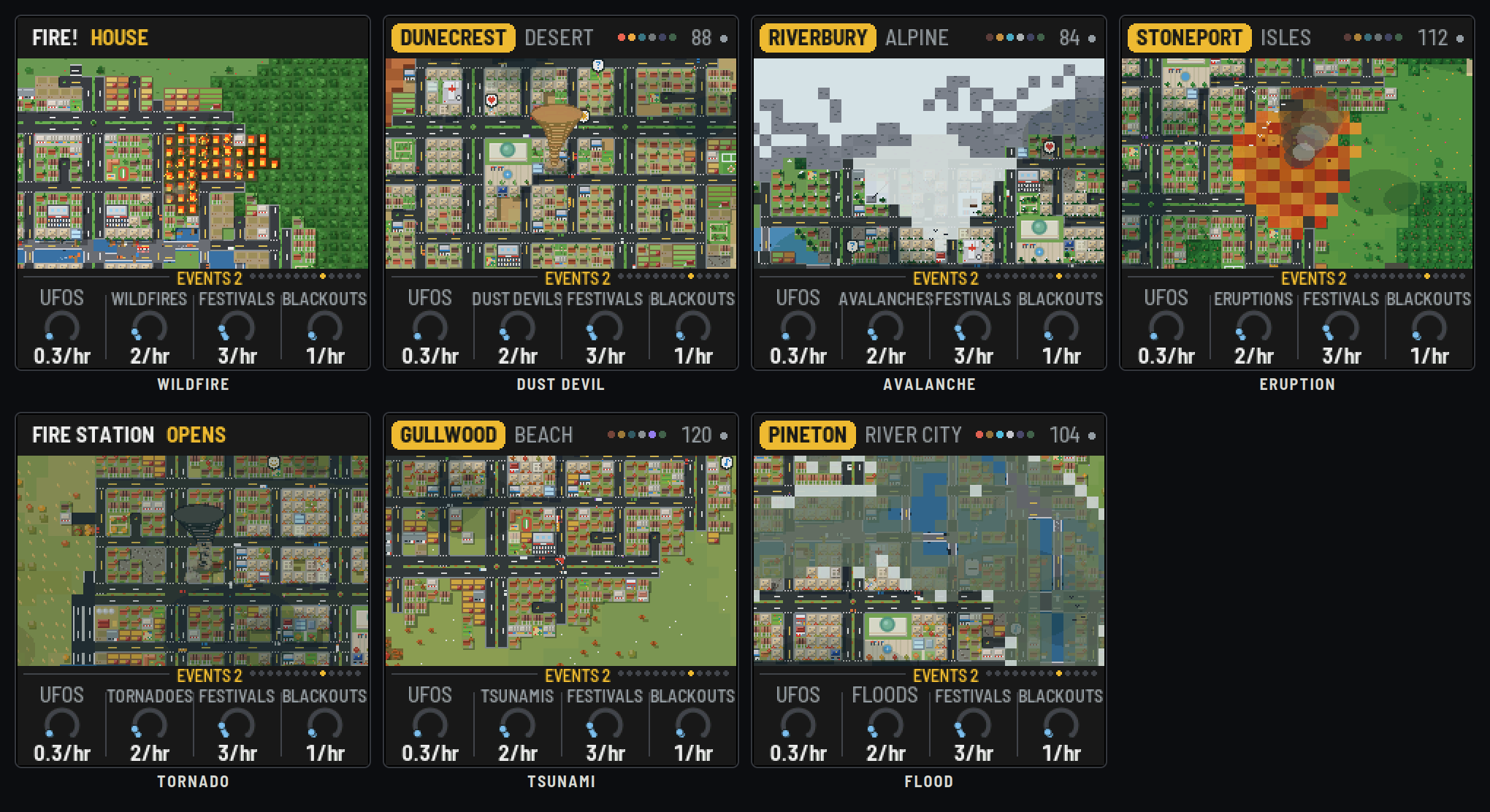
Each new city (each power-on, EDIT or PRESETS) draws a seed, and the seed picks the biome and draws the land:
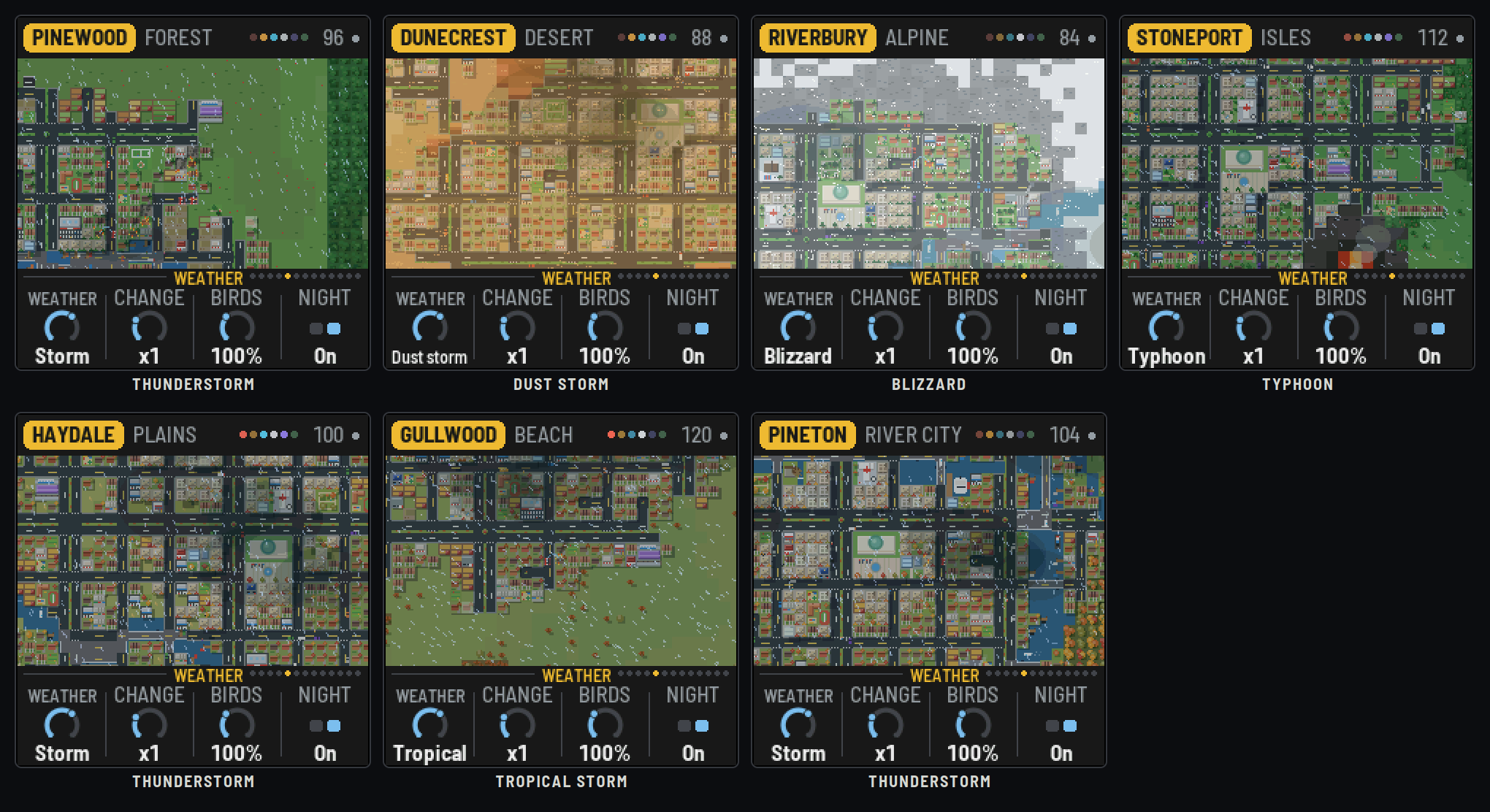
| Biome | The land | Its weather | Its disaster |
|---|---|---|---|
| Forest | Deep woods of oaks and pines, a river | Thunderstorms, mist, snow | Wildfire: it runs through the woods; what's in its way catches, the brigade comes; burnt woods stay cleared |
| Desert | Sand, red mesas, cacti, palms by the water | Dust storms, heat haze, a rare shower or frost | Dust devil: a whirl of sand wanders through town |
| Alpine | A valley under rock and snowy peaks, pines, a stream | Blizzards, low cloud, snow most of the year | Avalanche: the snow lets go off a mountain into the valley |
| Volcano isles | Islands in a turquoise sea, palms, black sand, a smoking volcano | Typhoons, ash haze, ash fall | Eruption: lava runs downhill and the ash rises |
| Plains | Golden grass, farms, a few groves | Thunderstorms, fog, snow | Tornado: the siren, then a twister across town (more in a storm) |
| Beach | A long sandy shore, dune grass, palms | Tropical storms, sea fog, sleet | Tsunami: the siren, a wave line comes in, the shore floods and drains |
| River lands | A wide river, a tributary, ponds and reeds | Thunderstorms, mist, snow | Flood: the river rises over its banks (more in the rain) |
Life
Cars drive real routes on the roads from homes to work and shops, more at the rush hours, fewer at night and in the rain. Buses and trucks too. People walk the pavements and stroll the parks; two who meet may stop and talk in speech bubbles (a heart, a note, coffee, the sun, a frown…), each a chirp in the music. Birds fly over in flocks, gulls by the sea.
Houses and shops built against the water now and then get a dock, a jetty with a boat tied up, and once there are docks the boats come out, as big as their water allows: rowboats and canoes on the ponds, motorboats and barges on the rivers and lakes, sailboats, ferries and cargo ships at sea.
The day and the seasons
A day lasts 2–16 minutes (Time: Day), or it can stay noon. Seasons go round every few days (Cycle), follow the calendar, or stay put: blossom in spring, autumn colours, bare trees and snow in winter, the crops changing. The weather follows the season (Auto), changing as often as Change says: clear, cloudy, rain, storms, fog, snow.
Incidents
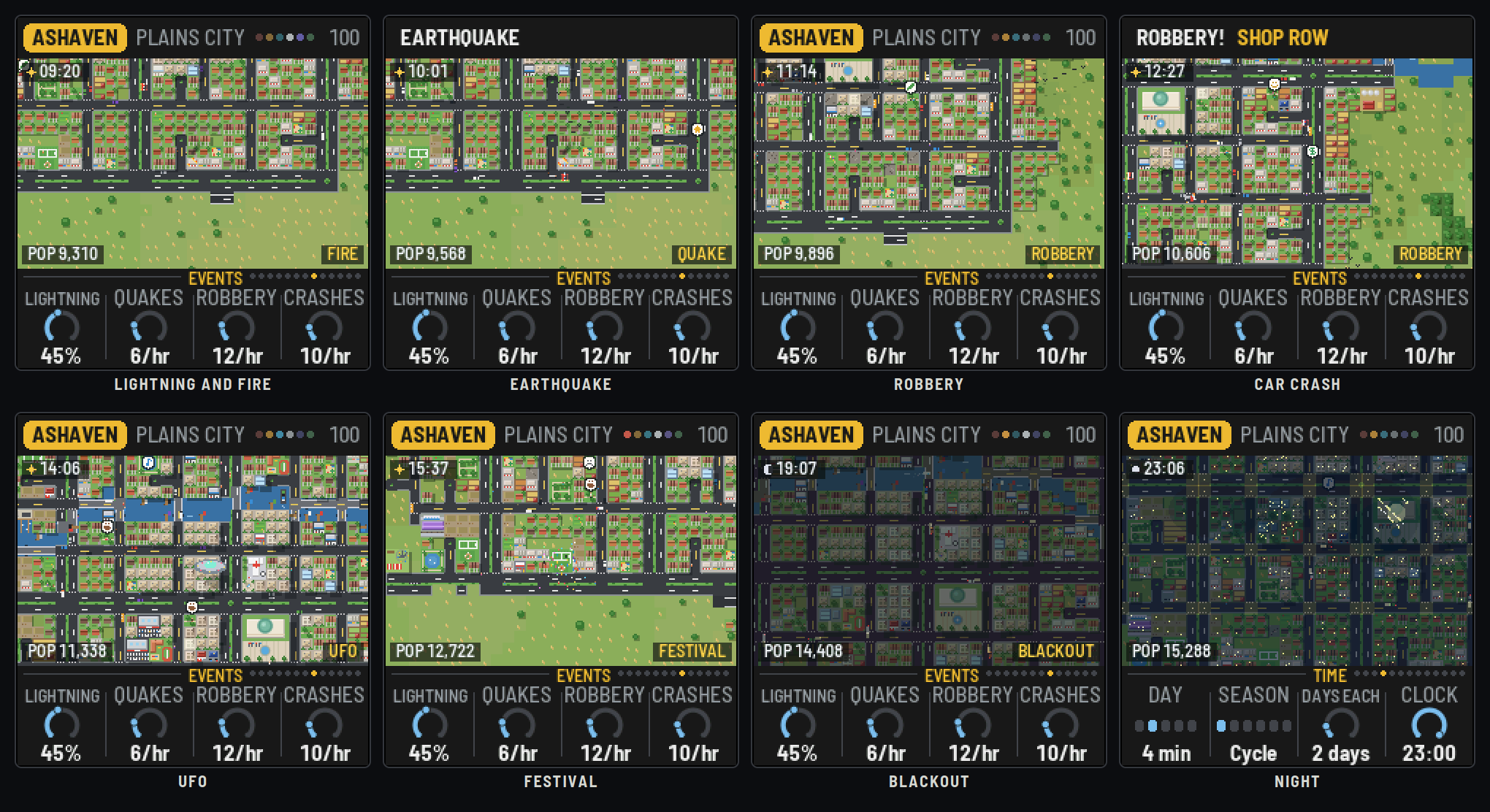
- Lightning strikes out of rain, storms and snow (not dust or ash), and may set a building alight (in the forest, the woods). The nearest fire station with a truck free sends it, lights flashing, along the roads; it hoses the fire out. Each station has two trucks: with more fires than that, the rest wait. A fire left burning spreads to the buildings beside it (less in the rain), and after half a minute it burns down; so a small town's one station can be overwhelmed. More stations open as the city grows.
- An earthquake shakes the screen and gates the music in time; a few buildings fall. Their rubble is cleared at the start of the next four-bar phrase, and the lots are built again.
- A robbery: a robber walks to a shop and an alarm rings. The police drive over and catch them, or they get away.
- A crash: two cars collide. An ambulance comes from the hospital, then the wreck is towed.
- A UFO, very rarely, flies in and beams someone up.
- A festival: a crowd round a plaza or a park, confetti by day, fireworks at night; the music gets a fanfare, a tambourine and doubled arpeggios.
- A blackout, now and then on any land, day or night, and more often in the land's storms (a dust storm, a blizzard, a typhoon) or a disaster: the whole town's windows and streetlights go out and the picture dims. The music loses its power: each instrument winds down and stops at its own rate, slowing and sagging as it goes, until it's quiet. Then the lights flicker back, and the instruments kick back in one at a time, each with a spin-up blip: the bass, the drums, the pad, the bells, the arps, the lead.
- A meteor shower on a clear night: shooting stars, each a falling chime.
- The land's own disaster (above).
First responder (the secret)
Hold SEL and press EDIT. Pick your ride with white keys 1–3: the fire truck, the police car or the ambulance. The camera comes down close and the vehicle rolls out of its station, siren going. It drives itself: straight on where it can, round the bends, and a dead end just turns it round. White key 1 turns left at the next junction, white key 2 right (it holds the turn until there's a road that way). The calls come one after another, your kind only (no one else is sent to them while you're on shift): a building alight, a hold-up, a crash. A yellow arrow round the vehicle points the way, as the crow flies (the roads are yours to find), the bottom bar says how far and how long is left, and a beacon marks the scene when it's on screen. Get there before the building burns down, the robber gets away or the wreck is towed: 100 points and 5 for each second to spare. Three missed and the shift's over; the best score lasts until the FM-1 is switched off. HOME, or SEL + EDIT again, goes back. The city grows and plays on meanwhile, and its other incidents still happen.
How often each happens is on the Events pages (Disasters stops them destroying); black keys call them at once. The police and the ambulances drive out the same way, two to a station, lights flashing. With Follow on, the camera goes to each and stays until it's over.
6How the city plays
The music runs on six chip channels: Pulse A (bells, sirens, the lead), Pulse B (arpeggios, birds), the triangle (kick and bass), noise (hats, snares, the beltway's hiss, fire's crackle), the wave (the pad) and the lead, voiced by Flavor as an NES, a Game Boy or a SID.
- The bed follows the stage: a town has a kick and a slow bass under a pad; a suburb adds hats and a moving bass; a city a snare backbeat; a huge city busy hats and an octave-jumping bass. The chord moves through the city's progression, and a fill and a rise up a fourth mark each new stage.
- The cars are playheads. Each tile a car crosses sets the rhythm of the road; each building beside it rings in its own voice: homes soft bells, shops bright arpeggios, industry low thuds, the landmarks their own short motifs (the town hall a fanfare, the school a chime, the hospital two notes…). New buildings clink, towers rise, parks swell.
- The land sets the sound: each biome its own ladder of modes (the city's mood climbs or falls it), its own percussion, its own bass, and its music recipe (tempo, flavor, lead, swing, echo):
| Biome | Modes, bright to dark | Rhythm and bass | Recipe | |---|---|---|---| | Forest | Ionian, Mixolydian, Dorian, Aeolian | Woodblocks; the usual bass | GB wave, 96 BPM, long echo | | Desert | Mixolydian, Hijaz, harmonic minor, Phrygian | A hand drum (doum and tek); a drone on the root | SID saw, 88 BPM | | Alpine | Lydian, Ionian, Dorian | A cowbell; long bass notes; the pad up | NES thin pulse, 84 BPM, the longest echo | | Volcano isles | Ionian, Mixolydian, Dorian, Phrygian; pentatonic tunes | Son clave and a steel drum; syncopated bass | GB wave, 112 BPM, swung | | Plains | Ionian, Mixolydian, Dorian, Aeolian; pentatonic tunes | Boom-chick: root and fifth, a chick on 2 and 4 | NES square, 100 BPM | | Beach | Lydian, Mixolydian, Dorian, Aeolian | A surf backbeat, a tambourine; a walking bass | NES square, 120 BPM, a short echo | | River lands | Lydian, Ionian, Dorian, Aeolian; pentatonic tunes | Rolling shakers; long bass | GB wave, 104 BPM, long echo |
- The mood of the city (homes against jobs, rent, the night, the weather, a disaster or a festival) climbs or falls the land's ladder of modes.
- The sky: night closes a lowpass over everything and makes the pad louder; fog closes it more and lengthens the echo; rain and snow fall as filtered noise; birds overhead shorten the echo and chirp.
- The incidents: sirens wail in key (the fire truck, the police, the ambulance), an alarm rings, thunder rolls, a quake gates the whole mix, the UFO sings its own wavering tune. A tornado or a tsunami sets off the civil-defense siren; dust storms, blizzards and typhoons blow as a wandering wind; lava, avalanches, waves and floods rumble.
- The lead on the keys snaps to the scale with a slow vibrato. In the idle view, the car the camera rides with plays it.
7The biomes
There are no preset cities: every power-on founds a new one, on a new seed, and the seed picks the land: any of the seven, by luck. Every city starts as a town. EDIT (or PRESETS) founds a new one at once, without switching off; SAVE elsewhere than Setup grows the same city again from its founding. Your settings (SAVE on Setup) carry over to every new city, except the music recipe each biome brings: hold SAVE to get it back after changing it.
8The pages
City (HOME)
- Speed: ×¼ to ×64; at ×1 about a week a second.
- Traffic: how many cars, 0–200%.
- People: how many people, 0–200%.
- Chats: whether people who meet stop to talk in speech bubbles (each a chirp in the music).
Music (ENV)
- Tempo: 60–160 BPM (also HOME + SELECT).
- Density: how many of the city's events become notes.
- Swing: the off-beats late.
- City bed: the drums, bass and pad under it all.
Sound (ARP)
- Flavor: NES (pulses, a 4-bit triangle), GB (a wave table), SID (saws, pulses, a filter that follows the city's brightness).
- Lead: the keys' voice: Square, Thin, Wave or Saw.
- Echo: how much echo (fog and snow lengthen it; birds shorten it).
- Crush: the levels stepped, grittier as it rises. A run-down city adds some itself.
Time (LFO)
- Day: a day's length: 2, 4, 8 or 16 minutes, or always noon.
- Season: Cycle, Calendar, or Spring, Summer, Autumn, Winter.
- Days each: in Cycle, how many days a season lasts.
- Clock: the hour now; turn it to move the sun. Black keys 1–4: dawn, noon, dusk, night.
Weather (LFO again)
- Weather: Auto (by the season and the land), or one of six, named as the land has them: clear; cloudy (haze in the desert); rain (a shower); the storm (a thunderstorm, a dust storm, a blizzard, a typhoon, a tropical storm); fog (mist, heat haze, low cloud, ash haze, sea fog); snow (frost, ash fall, sleet). Black keys 1–7 set it.
- Change: how often Auto changes it.
- Birds: how often flocks fly over.
- Night: the night lights (windows, streetlights, headlights) on or off.
Voices (SEQ) and Voices 2 (SEQ again)
Each part's level, 0–150%: Bells, Arps, Bass, Drums; then Pad, Lead, Effects (weather, birds, thunder, the UFO) and Sirens (and alarms).
Events (FX), Events 2 (FX again), Events 3 (FX a third time)
- Lightning: the chance a strike starts a fire (it strikes out of rain, storms and snow).
- Quakes, Robbery, Crashes: how many an hour (of the city's day).
- UFOs: very rare by default.
- The land's disaster (named for it: Wildfires, Dust devils, Avalanches, Eruptions, Tornadoes, Tsunamis, Floods): how many an hour, more in its weather.
- Festivals, Blackouts, Meteors: how many an hour (meteors at night; blackouts any time, more in the land's storms).
- Follow: the camera goes to each incident.
- Disasters: whether fires, quakes and the land's disasters destroy.
- Idle: the idle view after 1, 2 or 5 minutes, or never.
Black keys 1–11 on any of them: lightning, an earthquake, a robbery, a crash, a UFO, birds, the land's disaster, a festival, a blackout, meteors, and the huge city's special putting on its show.
Setup (GLO), Display (GLO again), MIDI out (GLO a third time)
- Setup: Key (Seed: from the city's seed; or C to B), Tune (cents), Sync (Off or Clock), Mood (Auto, or kept Bright or Dark).
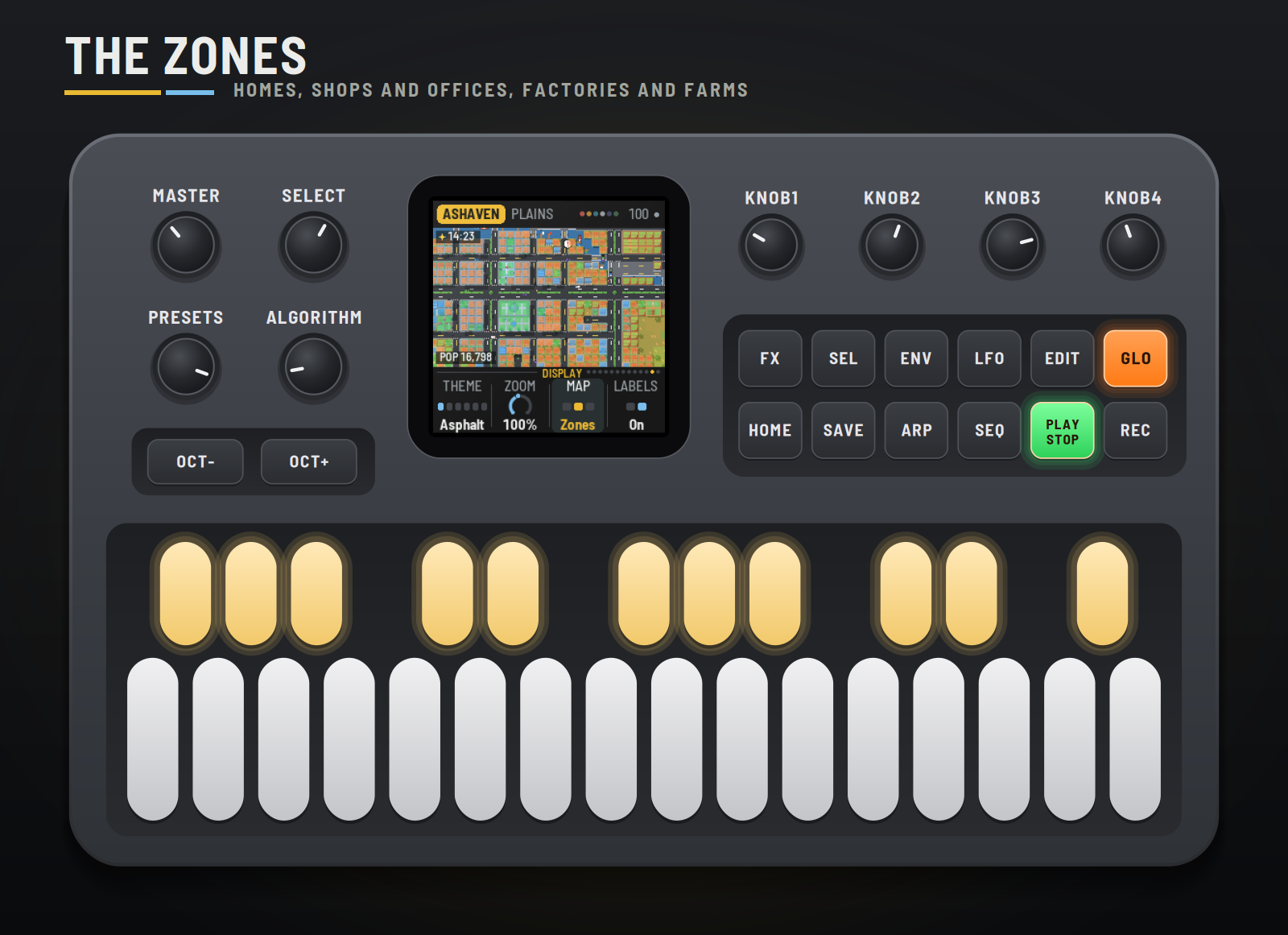
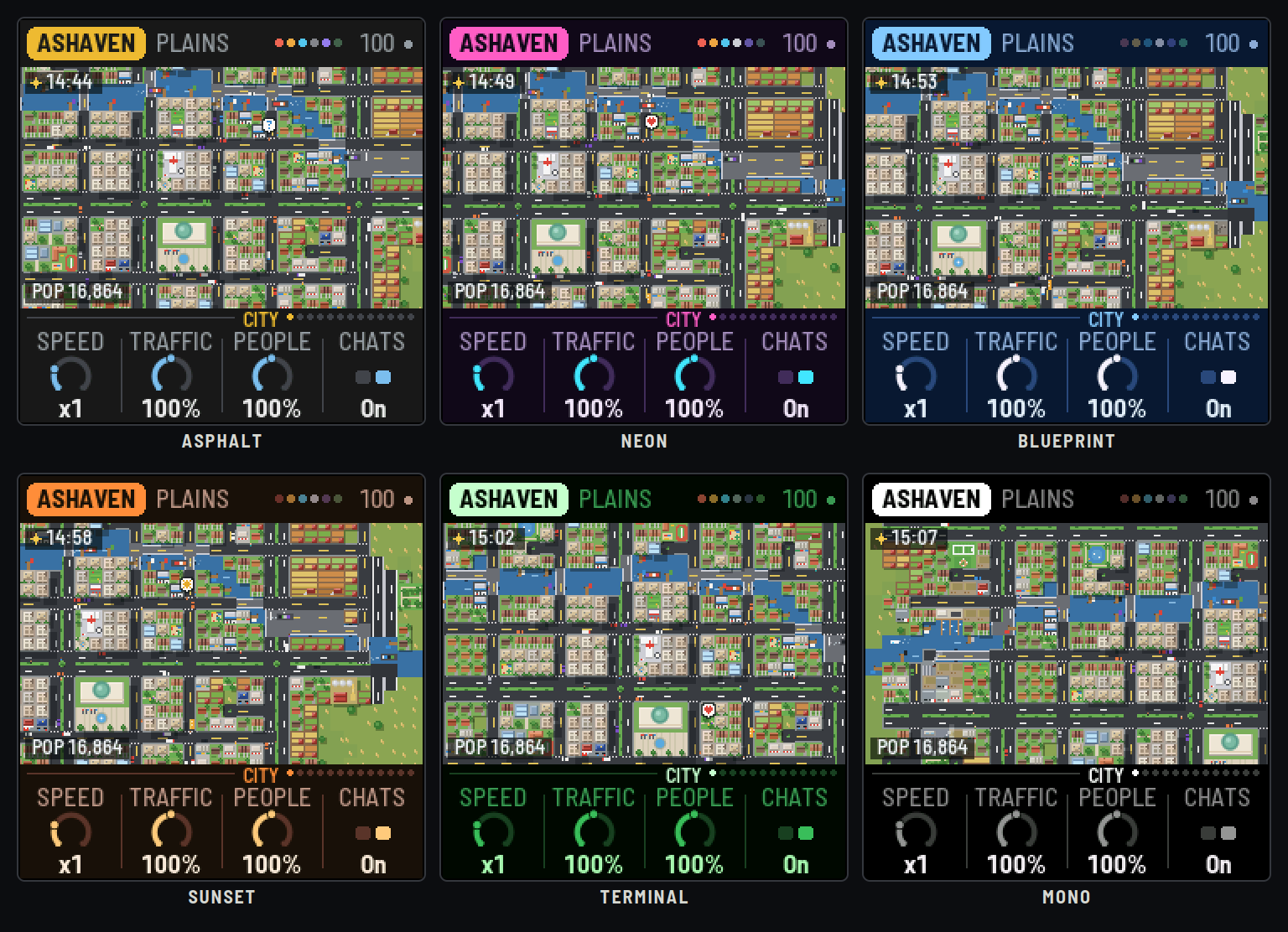
- Display: Theme (Asphalt, Neon, Blueprint, Sunset, Terminal, Mono: the frame; the city keeps its own colours), Zoom (a dial, 25% to 300%), Map (the City, its Zones, its land Value), Labels.
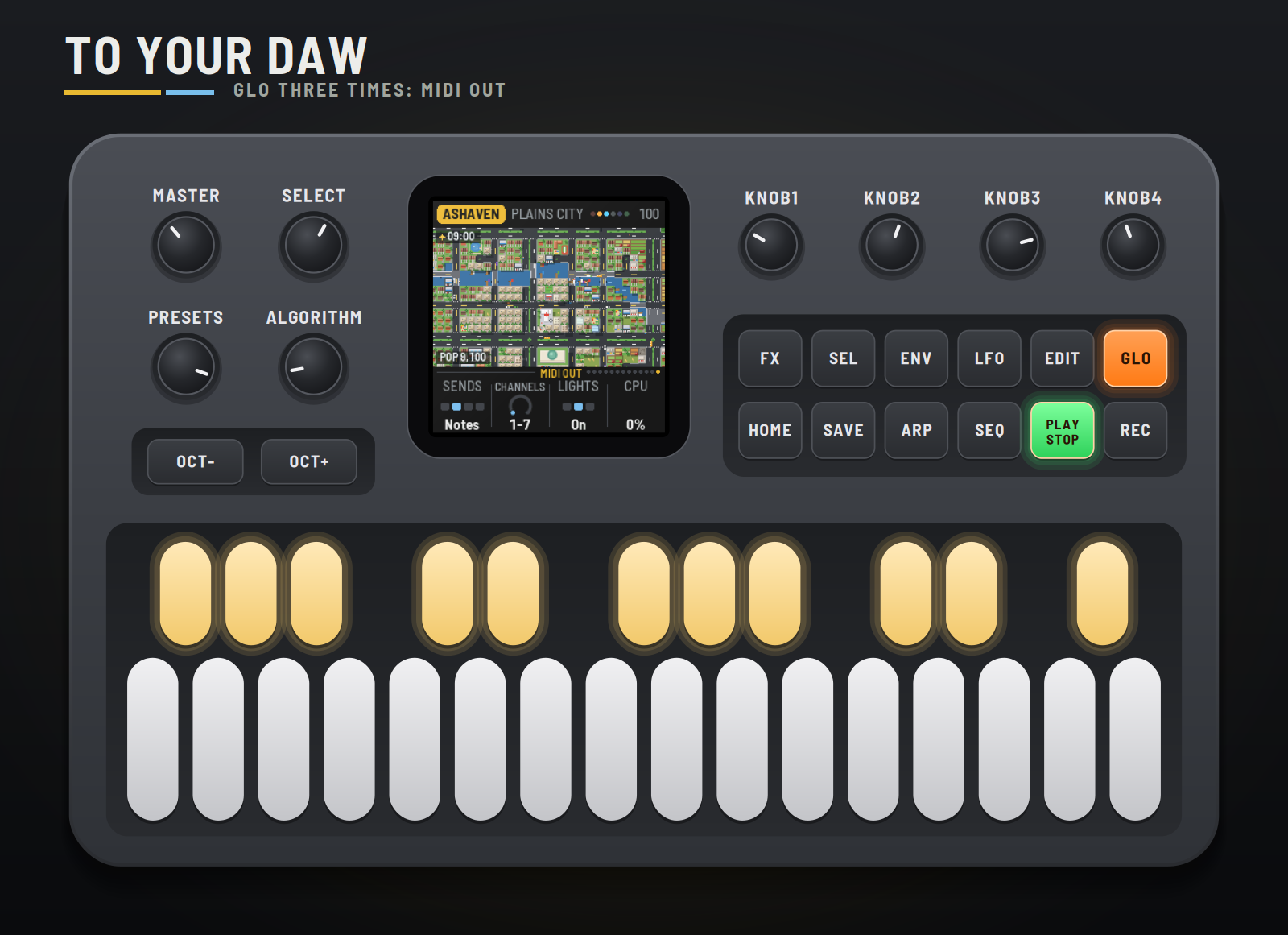
- MIDI out: Sends (Off, Notes, Both, CCs), Channels (which seven), Lights (the key lights), CPU (the audio load).
9MIDI clock and your DAW
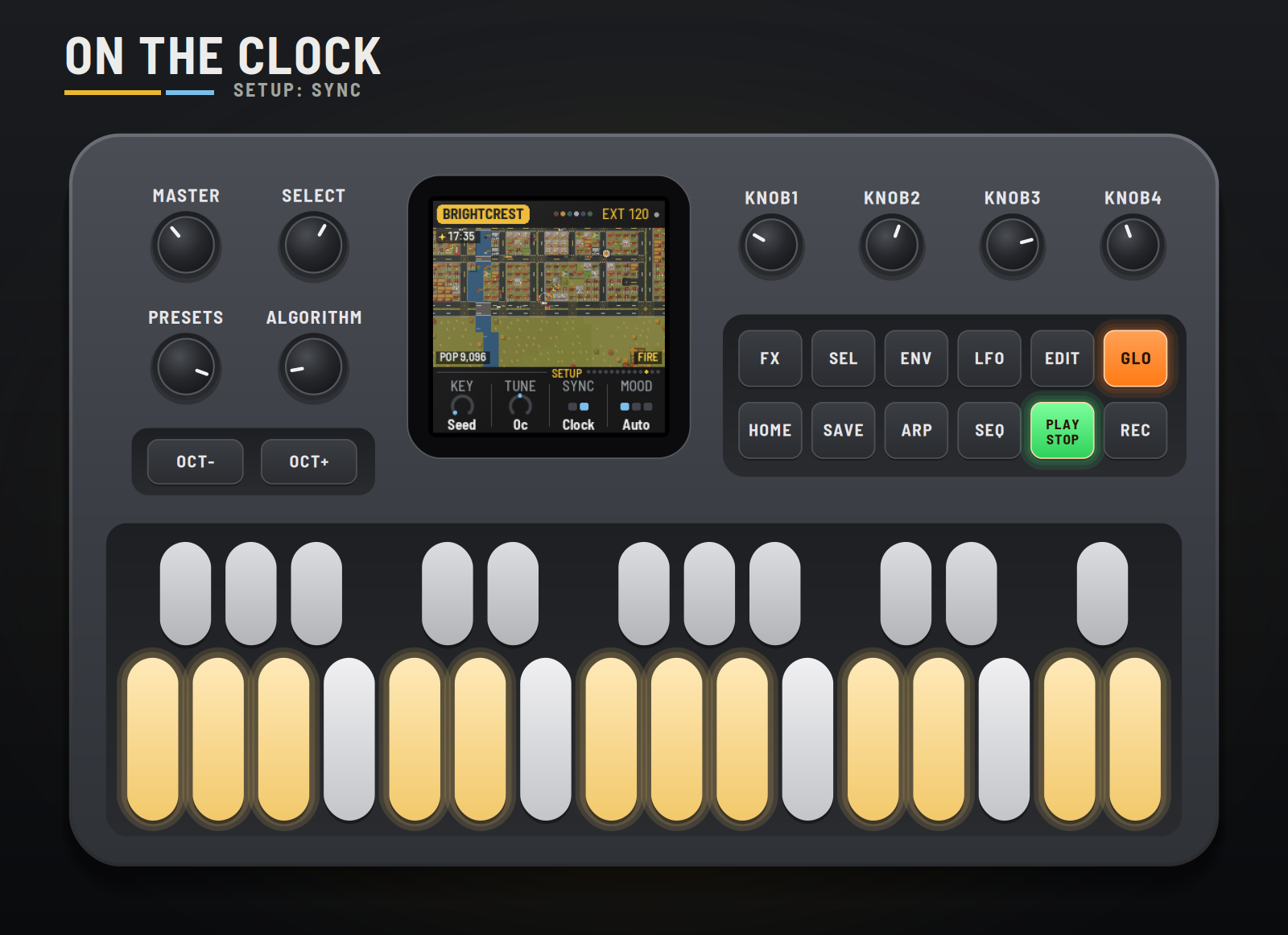
Clock in (USB or the TRS jack). With Sync on Clock, CTY-1 follows MIDI clock whenever it comes: EXT and the tempo show top right. START plays from step one, STOP rests it. When the clock stops, the city goes back to its own tempo.
On USB the FM-1 shows up as CTY-1 FM-1 (by RedtailWorks); each firmware in the pack has its own name. (Windows may go on showing a name it saw before until the FM-1 is unplugged and removed in Device Manager.)
MIDI in: notes play the lead.
MIDI out (USB). On the MIDI out page, Sends picks what goes out:
| Channel (default) | What |
|---|---|
| 1 | Pulse A: bells, sirens |
| 2 | Pulse B: arpeggios, birds |
| 3 | Triangle: kick and bass |
| 4 | Noise: the drums, as a kit (36 kick, 38 snare, 42 hat, 45 tom, 49 crash) |
| 5 | Wave: the pad |
| 6 | The lead |
| 7 | The city, as CCs (when they change) |
| CC | Signal |
|---|---|
| 20 | Mood (0 struggling, 127 thriving) |
| 21 | Brightness |
| 22 | Rush (the traffic) |
| 23 | Daylight |
| 24 | Rain and snow |
| 25 | The stage (0 town, 42 suburb, 84 city, 126 huge city) |
Audio per voice is in the emulator for now: choose "8 channels" under its device and it gives the mix on 1–2, then 3 Pulse A and the lead, 4 Pulse B, 5 the triangle, 6 the noise, 7 the wave and the UFO, 8 the rain and the echo. The FM-1 itself sends the stereo mix from its output.
Remote: the FM-1 plays the emulator. Open the emulator, switch it on and click Connect MIDI (Chrome or Edge, the FM-1 plugged in by USB). Then hold SEL and press GLO on the FM-1: REMOTE shows on its screen, it goes quiet and stops sending MIDI, and its whole panel (every button, key and knob, and MASTER) plays the emulator instead, its lights following the emulator's. SEL + GLO again gives the FM-1 back, playing again if it was. It speaks on channel 16, as the other firmwares' remotes do. For livestreams, the emulator's Stream view shows the FM-1 and its screen large on a 16:9 stage over the city's own sky and skyline, with whatever you press on the real one lit up.
10Saving
What you change is kept while the FM-1 is on. Press SAVE on the Setup, Display or MIDI out page to keep your settings through a power-off (a dot top right shows something is unsaved). The city itself isn't kept: each power-on (or EDIT) founds a new one, a town, and its biome brings its music recipe.
11Troubleshooting
- No sound: turn MASTER up; check PLAY is lit (press it to play); check the levels on the Voices pages.
- The city stopped growing: REC (hold) may be on: HOLD shows in the header. Or every lot is built: the header said EVERY LOT BUILT.
- No incidents: check the Events pages (and Disasters); lightning only strikes in storms.
- The camera won't stay put: Follow (Events 2) takes it to incidents; turn ALGORITHM to look around.
- The clock does nothing: Sync must be Clock (Setup). EXT shows while the clock comes.
- No MIDI out: Sends must not be Off, and your DAW must listen on channels 1–7 (or the ones you chose).
- The FM-1 won't start: hold OCT− and OCT+ together for five seconds for the update mode, then install again.
12Credits
CTY-1 is a RedtailWorks project. It's a fork of AMB-1 by Charles Vestal, by way of HYP-1, ECO-1 and GRAV-1. The platform (USB, update loader, storage, installer) is Felucca by Leo Kuroshita (@kurogedelic), Hügelton Instruments. Screen font: Barlow Semi Condensed (SIL OFL). GPL-3.0.
M-VAVE and FM-1 are trademarks of their owners; CTY-1 is not affiliated with M-VAVE.
<sub>Pilots: hold the selector and edit the sky.</sub>